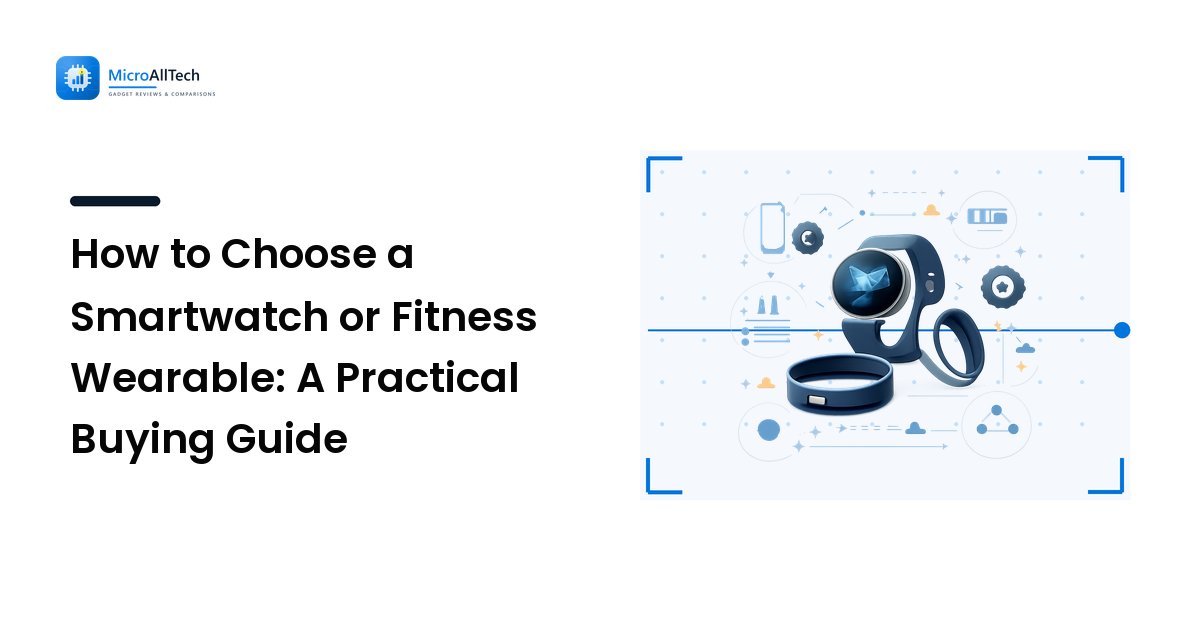
Wearables are sold on a wall of features — heart-rate sensors, sleep stages, blood-oxygen readings, ECG, GPS, contactless payments, dozens of watch faces — and almost none of it answers the question you actually have: which one will I keep wearing, and will it work well with the phone in my pocket? That gap is why so many smartwatches end up in a drawer after a month.
Here is the takeaway up front: the right wearable is the one that pairs cleanly with your phone, tracks the two or three things you actually care about, and fits your day without becoming a chore to charge. Feature counts decide far less than the marketing implies. This guide walks through what to look for, in the order that matters, so you can shortlist the right device without overpaying.
Start with your phone, not the watch
The single most important factor is compatibility, and it is the one buyers most often skip. A wearable is a companion to your phone: it relies on the phone's app to set up, sync data, and receive most updates. Get this wrong and even a brilliant device feels broken.
- Apple Watch works only with an iPhone. There is no Android support, full stop. If you carry an iPhone, it is the most tightly integrated option; if you don't, cross it off the list entirely.
- Most other smartwatches favor Android and offer a reduced experience on iPhone — you may lose reply-to-message features or app installation. Check the specific model's iPhone support before buying, not after.
- Fitness bands and smart rings are usually the most phone-agnostic, syncing to their own app on either platform, which makes them the safer pick if you switch phones often.
Confirm compatibility with your exact phone first. Everything below only matters once you know the device will actually talk to your handset.
Decide what you want it to do
No wearable is best at everything, so the fastest way to narrow the field is to name the two or three things you'll use most. Each priority rewards a different kind of device:
- General notifications and convenience: a full smartwatch, for messages, calls, timers, and payments on your wrist.
- Everyday fitness and steps: a lightweight fitness band, which is cheaper, lighter, and lasts longer between charges.
- Serious training and outdoor sport: a sports watch with built-in GPS and longer battery, so you can run or ride without your phone.
- Sleep and recovery, worn discreetly: a smart ring, which many people find more comfortable to wear overnight than a watch.
- Health awareness: look specifically for the sensors you'll act on — heart rate is near-universal, while ECG, blood oxygen, and skin-temperature trends vary by model and region.
Write your priorities down before you shop. A device that is superb for gym tracking may be mediocre as an everyday smartwatch, and knowing your priority stops the feature list from choosing for you. This is the same discipline that applies to any gadget purchase, which we lay out in our practical buying guide.
Form factor: watch, band, or ring
The physical style is a real trade-off, not a cosmetic one:
| Type | Best for | The trade-off |
|---|---|---|
| Full smartwatch | Notifications, apps, payments, a bright touchscreen | Heavier, needs frequent charging, more expensive |
| Fitness band | Steps, sleep, light workouts, all-day comfort | Small screen, fewer smart features |
| Sports/GPS watch | Running, cycling, hiking without a phone | Bulkier and pricier; more than casual users need |
| Smart ring | Discreet sleep and recovery tracking | No screen or notifications; sizing must be right |
There is no single winner here. Match the shape to how you live: a screen you glance at all day, a band you forget you're wearing, or a ring for overnight comfort.
Battery life is a daily reality, not a spec
Battery is where the everyday experience is won or lost, because a wearable you forget to charge is a wearable you stop wearing. Two honest points cut through the marketing:
- Screens and always-on features are the biggest drain. A large, bright, always-on display and frequent GPS use shorten runtime the most, while a simple band or ring can go much longer between charges.
- Match charge rhythm to your habits. If you want reliable sleep tracking, you need a device that survives overnight and still has charge in the morning — so pick a charging routine (a quick top-up in the shower, say) you'll actually keep. Read runtime claims as a best case and expect real use to fall short of the headline.
Fit, comfort, and durability
A wearable is only useful if it stays on your body, so comfort and build matter more than they get credit for. Check the band material and whether it's easy to swap, since skin comfort varies from person to person. If you'll wear it in the pool or the shower, confirm the water-resistance rating covers swimming rather than just splashes. And for a ring, get the sizing right the first time — many makers offer a sizing kit, and a poor fit ruins the readings.
App, ecosystem, and data ownership
The device is only half the product; the app is where you'll actually live. Before buying, look at how the companion app presents your data — is it clear and useful, or a cluttered upsell? Check whether core health insights are free or locked behind a subscription, because some platforms now gate their best analysis behind a monthly fee. And consider how easily you can export your data if you ever switch devices.
Because the wearable market moves quickly — new sensors, new health features, and new subscription models arrive constantly — it pays to check independent, up-to-date coverage before you commit. Sites that specialize in the category, such as the expert reviews and trend coverage at WearableDaily, are useful for seeing how a specific model holds up in real-world use and where the category is heading.
A quick buying checklist
- Confirm compatibility with your exact phone before anything else.
- Name your top two or three uses — notifications, fitness, sleep, or sport.
- Pick the form factor that suits those uses: watch, band, or ring.
- Check real battery rhythm against your charging habits and sleep tracking needs.
- Look at the app and any subscription so you know what's free and what's paid.
FAQ
Do I need a smartwatch or is a fitness band enough?
If you mainly want steps, sleep, and light workout tracking, a fitness band is lighter, cheaper, and lasts far longer between charges. Choose a full smartwatch only if you'll genuinely use on-wrist notifications, apps, and payments.
Will a non-Apple smartwatch work with my iPhone?
Sometimes, but with limits. Apple Watch is iPhone-only, and many Android-focused watches offer a reduced experience on iPhone — you may lose messaging replies or app installs. Always check the specific model's iPhone support before buying.
Is a smart ring better than a smartwatch for sleep?
Many people find a ring more comfortable to wear overnight than a watch, and it tracks sleep and recovery discreetly. The trade-off is no screen and no notifications, so it complements a phone rather than replacing a watch's smart features.
Are the health features on wearables accurate?
Consumer wearables are good for spotting trends over time, not for clinical diagnosis. Heart-rate and step data are broadly reliable; readings like blood oxygen and sleep staging are best treated as directional. Act on patterns, and see a professional for anything medical.
The bottom line
Ignore the feature race. Choose a wearable by phone compatibility first, then by the two or three things you'll actually use it for, then by a battery rhythm you can live with. Match the form factor — watch, band, or ring — to your day, and check the app and any subscription before you pay. Get those right and a mid-priced device you keep wearing will beat a feature-packed one that dies in a drawer. For more vendor-neutral, no-hype help choosing and getting more from your tech, explore the rest of MicroAllTech.