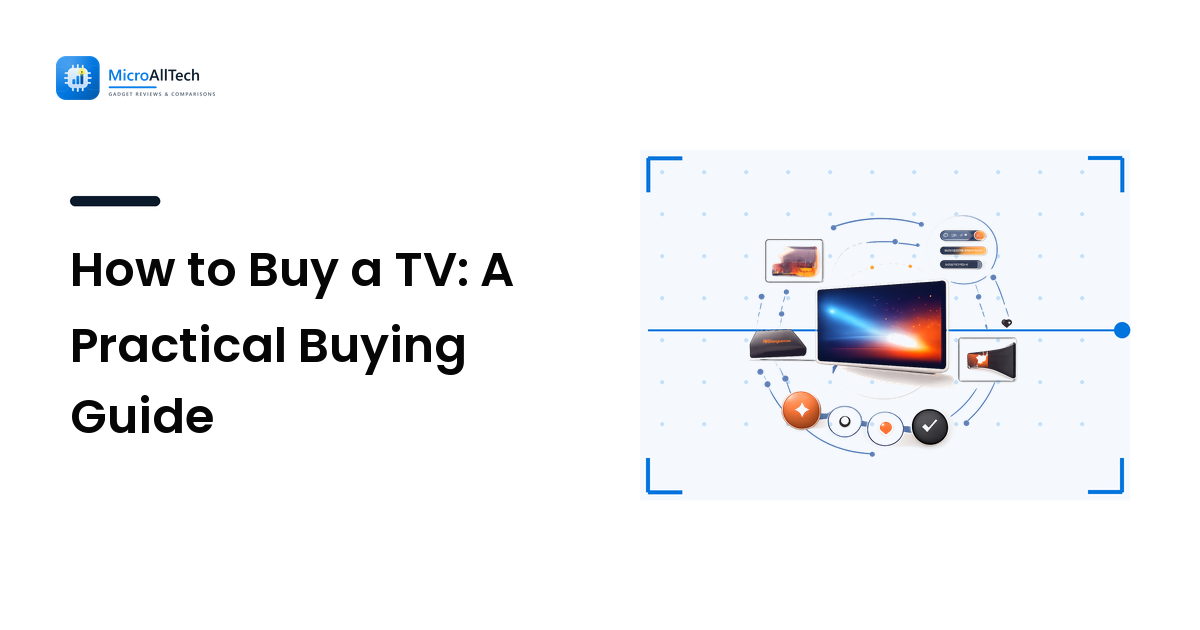
Buying a TV should be simple, but the store makes it hard on purpose. Walls of screens all look stunning under showroom lighting, the spec sheets are a soup of acronyms, and the salesperson's job is to move you up a tier. The good news is that a genuinely good TV decision comes down to a few questions about your room and how you watch — not about memorizing every number on the box.
The short version: start with size matched to how far you sit, pick a panel technology that fits your room's lighting, insist on the two or three specs that actually affect the picture, and ignore the rest. Get those right and a mid-range TV will satisfy most people far more than an expensive one chosen badly.
Start with the room, not the TV
The single biggest mistake is choosing a screen size by gut or by what's on sale. Size should be driven by how far away you sit, because a screen that's too small for the distance feels underwhelming and one that's too large makes the whole image hard to take in and exposes flaws.
The practical rule: bigger is usually better, up to the point where you can comfortably see the whole screen from your seat. Measure the distance from your sofa to where the TV will go before you shop, and let that anchor the size. For most living rooms people end up wanting a larger screen than they first expect — but a genuinely good fit comes from your actual seating distance, not from a number that sounded impressive in the store.
Room lighting matters just as much. A bright room with big windows needs a brighter screen to fight glare; a dim, controllable room rewards deep contrast over raw brightness. Note your room's light before you weigh panel types, because the right choice flips depending on it.
Which specs actually matter
A TV box lists a dozen specs; only a few change what you see. Here are the ones worth your attention, each with the reason.
Resolution: 4K is the sensible default
Resolution is the pixel count. 4K is the standard worth buying for almost everyone — it's widely supported by streaming and discs and gives a sharp image at normal sizes and distances. 8K exists but has very little content to feed it, so the extra pixels rarely show at typical viewing distances; it's not where your money does the most work today. The reason 4K wins is simple: it's the resolution your content is actually made in.
Contrast and brightness: where picture quality lives
More than resolution, contrast (the gap between the deepest black and brightest white) and brightness are what make a picture look rich or flat. Deep blacks give the image depth in a dark room; high brightness lets the screen stay punchy in a bright one and is what makes HDR look like anything. This is exactly where panel technology decides the outcome, which is the next section.
HDR: only real if the panel can deliver it
HDR (High Dynamic Range) expands the range from dark to bright and widens color — when the hardware can back it up. The trap is that nearly every TV wears an "HDR" label, but a dim panel with weak contrast can't actually show it. Treat strong HDR as a capability of better TVs (real brightness, good local contrast), not a checkbox that means anything on its own.
Refresh rate: matters most for gaming and sports
Refresh rate (in Hz) is how many times per second the image updates; higher rates make fast motion clearer. For movies and most shows it matters little, because film content runs at low frame rates anyway. It earns its keep for gaming and fast sports — and only if your source (a console or PC) can actually output those frames. Don't pay for a high refresh rate you'll never feed.
For a deeper, plain-language breakdown of what these numbers really mean and how OLED, IPS, VA, and mini-LED differ, see our companion display technology guide.
Match the panel to your room
TVs split into the same two technology families as any display: self-lit OLED and backlit LCD (often enhanced with mini-LED). The right one depends on your lighting and content.
- OLED turns each pixel off individually, so it delivers perfect blacks and the best contrast — superb for movies and dark, light-controlled rooms. The trade-offs are higher price, lower sustained brightness than the brightest LCDs, and some burn-in risk with static images shown for very long periods.
- LCD (LED/QLED, ideally mini-LED) uses a backlight, which makes it generally brighter and cheaper, with lower burn-in risk. A good mini-LED set reaches toward OLED-like contrast through local dimming while staying bright, which makes LCD the safer pick for bright rooms and for screens showing a lot of static content.
The decision rule: dark, dedicated viewing room and movie-first habits lean OLED; bright living room, mixed daily use, or budget priority lean to a good LCD, ideally mini-LED. Neither is "better" in the abstract — they're better for different rooms.
Where projectors fit
If you want a genuinely cinema-sized image, a projector does what no reasonably priced TV can — put 100-plus inches on a wall. The trade-off is light: projectors need a darkened room to look their best, since ambient light washes out the image far more than it does on a TV. They also add the cost and space of a screen or a good blank wall, and bulbs or light sources have a lifespan.
Choose a projector when you have a dedicated, controllable-light space and want the biggest possible picture for movies and sports. Choose a TV when the room has daylight, you watch through the day, or you want simplicity. For everyday rooms, a TV is almost always the more practical answer; projectors reward a committed home-theater setup.
Skip the features you'll never use
A lot of a TV's marketing rides on extras that rarely change your experience: aggressive motion-smoothing modes many people switch off, "AI" picture labels with no defined meaning, and built-in smart platforms you may bypass with a separate streaming stick anyway. None of these should drive the decision. Spend on the things that affect the picture every minute — size, contrast, brightness, real HDR capability — and treat the rest as minor tie-breakers. The same discipline applies if you're choosing a desktop display instead; our monitor buying guide ranks specs by use case the same way.
A simple TV-buying checklist
- Measure your seating distance and note the room's lighting.
- Set a budget and aim to spend it on picture quality, not gimmicks.
- Choose a size that fills your view comfortably from where you sit.
- Pick the panel for your room — OLED for dark/movies, good LCD/mini-LED for bright/mixed.
- Demand the specs that matter — 4K, strong contrast and brightness, real HDR, and high refresh rate only if you game.
- Consider a projector only if you have a dark room and want a cinema-sized image.
FAQ
What size TV should I buy?
Let your seating distance decide. Bigger is generally better up to the point where you can still take in the whole screen comfortably from your sofa. Measure that distance before shopping; most people are happy going a size larger than their first instinct, but the right size is the one that fits your actual room, not a number that impressed you in the store.
Is 4K enough, or should I get 8K?
4K is the right choice for almost everyone. It's what streaming services and discs are actually made in, so it looks sharp at normal sizes and distances. 8K has very little native content, so its extra resolution rarely shows at typical viewing distances — your money does more good on contrast, brightness, and size than on pixel count.
Do I really need HDR?
Only if the TV does HDR well. Real HDR needs genuine brightness and strong local contrast, which cheaper panels lack despite carrying the label. On a capable TV, HDR adds noticeable depth and vivid highlights; on a weak one it does almost nothing. Treat strong HDR as a sign of a better TV, not a box to tick.
OLED or LED/LCD — which should I get?
It depends on your room. OLED gives perfect blacks and the best contrast, ideal for dark rooms and movies, but costs more and is dimmer than the brightest LCDs. A good LCD (especially mini-LED) is brighter, cheaper, and lower-risk for static content, which makes it the better pick for bright living rooms and mixed daily viewing.
Is a projector better than a TV?
For a cinema-sized image in a dark, dedicated room, yes — a projector puts up a picture no affordable TV can match. But projectors wash out in ambient light, need a screen or blank wall, and are less convenient. For everyday rooms with daylight and all-day viewing, a TV is the more practical choice.
Next step
Before you get dazzled by a showroom wall, do the boring, decisive part at home: measure how far you sit from where the TV will go, and look honestly at how much light the room gets. Set a budget, then let the room choose your size and panel — dark room and movies point to OLED, bright room and mixed use point to a good LCD. Buy the picture quality, skip the gimmicks, and you'll enjoy the result long after the spec sheet is forgotten.