A smart home is easy to start and easy to get wrong. Buy a few bulbs from one brand, a plug from another, a camera from a third, and a doorbell on impulse, and within a month you have four apps, two things that keep dropping offline, and a "smart" home that is slower to use than the switches it replaced. The gear is rarely the problem. The order you buy it in — and the two or three decisions you make before you buy anything — is what separates a setup that quietly works from a drawer full of half-used gadgets.
The short version: pick one ecosystem before you buy hardware, understand the handful of standards that decide whether devices cooperate, start with the problems you actually want solved, and build for reliability instead of for the unboxing demo. Do that and a smart home earns its place. Skip it and you are just collecting apps.
Start with a problem, not a product
The most common smart-home mistake is buying a device because it is clever, not because it solves something. A motion-activated hallway light that turns on when you carry laundry at night is genuinely useful. A voice assistant you have to re-explain a command to three times is not. Before you spend anything, write down two or three real annoyances you want gone: the porch you keep forgetting to light, the space heater you are never sure you switched off, the front door you want to see from your phone.
Those problems tell you what to buy and, just as importantly, what to skip. A smart home is worth building when it removes small daily frictions. It is not worth building to automate things that were never a burden. This is the same needs-first discipline that keeps any tech purchase honest — the approach in our guide to how to choose tech applies here directly.
The decision that shapes everything: standards and the hub
Underneath the brand names, smart-home devices talk to your network in one of a few ways, and this choice matters more than any single product feature because it decides whether your devices will still cooperate a year from now.
Wi-Fi, Zigbee, Z-Wave, and Thread
- Wi-Fi devices connect straight to your router with no extra hub. That is convenient for a first plug or camera, but every device adds load to your Wi-Fi, and cheap Wi-Fi gadgets are a frequent source of the drop-offline problem covered in our piece on smart-home devices that keep disconnecting.
- Zigbee and Z-Wave are low-power radio standards built specifically for smart homes. Devices form a mesh, passing signals to each other, which tends to be more reliable for lots of small sensors and switches. They need a hub — a small box that bridges the radio network to your home network.
- Thread is a newer low-power mesh standard, conceptually similar to Zigbee but designed to work natively with the Matter standard below. Thread devices need a border router, a role now built into many smart speakers and hubs rather than a separate box.
None of these is universally "best." Wi-Fi is simplest to start with; mesh standards like Zigbee, Z-Wave, and Thread scale better once you have many devices.
Matter: the standard that lets devices talk
For years the biggest frustration in smart homes was that a device from one brand often would not work with the app or assistant from another. Matter is an industry standard, backed by the major platform makers, created to fix exactly that. A device that carries the Matter logo is designed to work across the ecosystems that support Matter, rather than being locked to one app.
Matter is the single most useful thing to look for on a box today, because it protects you from the classic trap of building a house of devices that only your first app understands. It does not make every feature universal — advanced, brand-specific features may still live in the maker's own app — but for core control it removes most of the walls. When two similar devices are in front of you and one supports Matter, that is a concrete reason to choose it.
Pick one ecosystem — and know the trade-off
An "ecosystem" is the platform that acts as the brain and the app you use every day. The mainstream choices are Apple Home, Google Home, and Amazon Alexa, with Home Assistant as a powerful option for people who want full control and do not mind more setup. Pick one and buy toward it. The trade-offs, stated plainly:
- Apple Home leans hardest on privacy and local control and integrates tightly with iPhones, but supports a narrower list of devices and needs an Apple device (like a HomePod or Apple TV) as a hub for remote access and automations.
- Google Home has strong voice recognition and wide device support, and works naturally if you already live in Google's accounts and Android phones. The trade-off is a heavier reliance on the cloud.
- Amazon Alexa supports the widest range of third-party devices and is often the cheapest way in, at the cost of a busier app and more upsell.
- Home Assistant offers the most flexibility, local control, and privacy of any option, and works with almost everything — but you run it yourself, and the learning curve is real.
The honest rule: your best ecosystem is usually the one that matches the phones and accounts your household already uses, because that is the friction you will feel every single day. There is no ecosystem with no downside; if a review tells you otherwise, it is selling something.
What to buy first: a sensible starter set
You do not need a whole-home rollout on day one. A reliable starter kit that solves real problems usually looks like this:
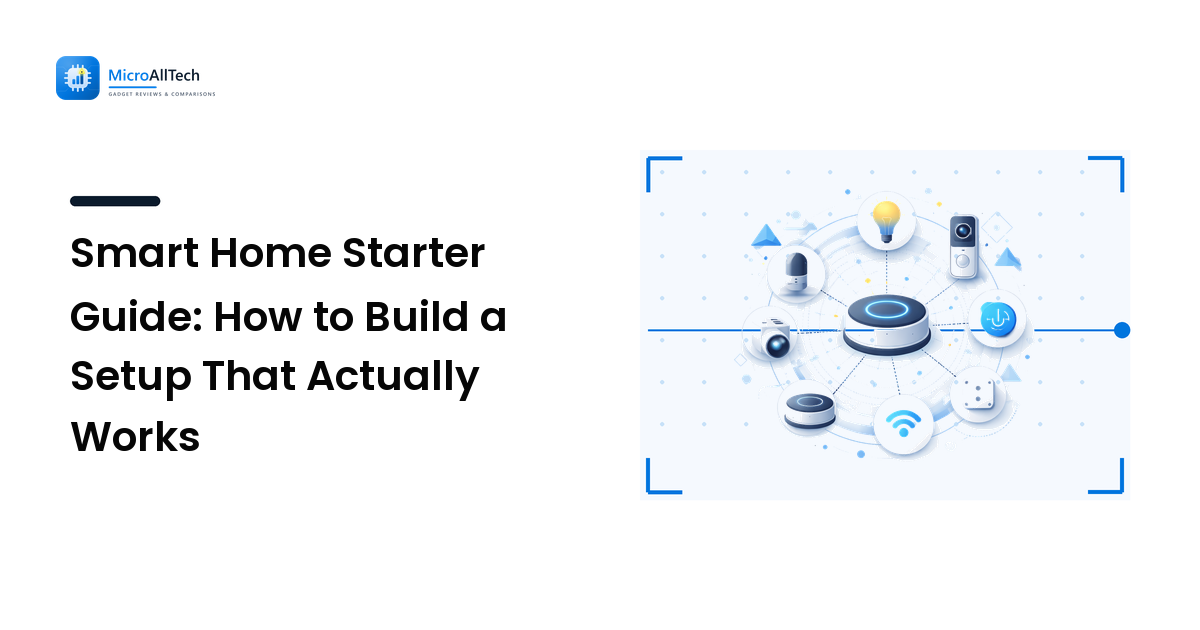
- One hub or a speaker that doubles as one. Many smart speakers now include a Thread border router and act as your ecosystem's brain. Starting here means later devices join a network that already exists.
- Smart lighting for one or two rooms. Bulbs are the easiest win; smart switches are better where multiple people use a wall switch, because a smart bulb behind a switch someone flips off goes dark and unreachable.
- A couple of smart plugs for lamps, a coffee maker, or that space heater you worry about. Plugs are the cheapest way to make an existing "dumb" device schedulable.
- One sensor — a motion or contact sensor — to make automations trigger themselves instead of waiting on a voice command.
Add a camera or a doorbell only once the basics are stable, and only if the earlier problem list included seeing your door. Buying in this order means each device joins a working foundation instead of you debugging five new things at once.
Build for reliability, not for the demo
A smart home lives or dies on reliability. A light that works ninety percent of the time is worse than a normal switch, because you stop trusting it. Three habits keep a setup dependable:
- Respect your Wi-Fi. Most budget devices use only the 2.4GHz band, and a single merged network name can trap them. If devices connect once and then vanish, the fix is almost always in your router settings, not the device — the full diagnosis is in our guide to smart-home devices that keep disconnecting.
- Prefer local control where you can. Devices that can run without a cloud connection keep working when your internet drops and when a manufacturer shuts down a service. Standards like Matter and Thread, and platforms like Apple Home and Home Assistant, lean this way.
- Keep firmware current, but not blindly. Updates fix security holes and bugs; apply them, but give a brand-new firmware a few days before rolling it across every device, in case it introduces a problem.
Automations that earn their keep
The payoff of a smart home is automation — the house doing the right thing without you asking. The best automations are invisible and boring: lights that come on at dusk and off at bedtime, a heater that cannot stay on past a set time, a notification if a door opens while you are away. Start with two or three of these and let them prove themselves for a week before adding more.
Resist the urge to automate everything at once. Every rule you add is something that can misfire at an inconvenient moment, and a house that does surprising things is worse than one that does nothing. Add one automation, live with it, and keep it only if it genuinely removes a task.
Security and privacy basics
Smart-home devices sit on your home network and, in the case of cameras and locks, watch your home. A few basics are non-negotiable: use a strong, unique password on the ecosystem account and turn on two-factor authentication; change any default device password; and, if your router supports it, put smart-home gadgets on a separate guest or IoT network so a compromised bulb cannot reach your laptop. For cameras, prefer devices that offer local storage or encrypted cloud, and understand what a maker does with your footage before you install one indoors. Privacy is a feature — weigh it like any other spec.
Frequently asked questions
Do I need a hub to start a smart home? Not always. Wi-Fi devices connect directly to your router and are the simplest way to begin. But once you add many devices, a hub — or a smart speaker that includes one — usually makes the whole system more reliable and unlocks lower-power standards like Zigbee, Z-Wave, and Thread.
What is Matter, in one sentence? Matter is an industry standard that lets smart-home devices from different brands work together across the major platforms, so you are not locked into one company's app.
Can I mix brands, or should I stick to one? You can mix brands, and Matter makes that far safer than it used to be. The thing to keep consistent is your ecosystem — the app and platform you control everything through — not the device manufacturers.
Which ecosystem is best for beginners? The one that matches the phones and accounts your household already uses, because that removes the most day-to-day friction. Apple Home suits iPhone households that value privacy; Google Home and Alexa offer wider device support and an easier price of entry.
Why do my smart devices keep going offline? Most repeat disconnects come from Wi-Fi band settings rather than faulty hardware, since many cheap devices only use the 2.4GHz band. Our troubleshooting guide walks through the exact fix.
A smart home is worth building when it quietly removes small daily annoyances — and it stays worth it only when it is reliable. Before you buy a single bulb, pick one ecosystem and write down the two problems you want solved first, then buy only the devices that solve them. When you are ready to compare the gear that anchors a setup — monitors, keyboards, storage, and more — explore the hands-on comparisons on MicroAllTech to see which picks earn their place and why.